Task Management Free Template
Increase value to your company by turning tasks into efficient deliverables, from simple to complex. This free template supports you in handling tasks with real-time visualization of work capacity, transparency, and improvement opportunities.
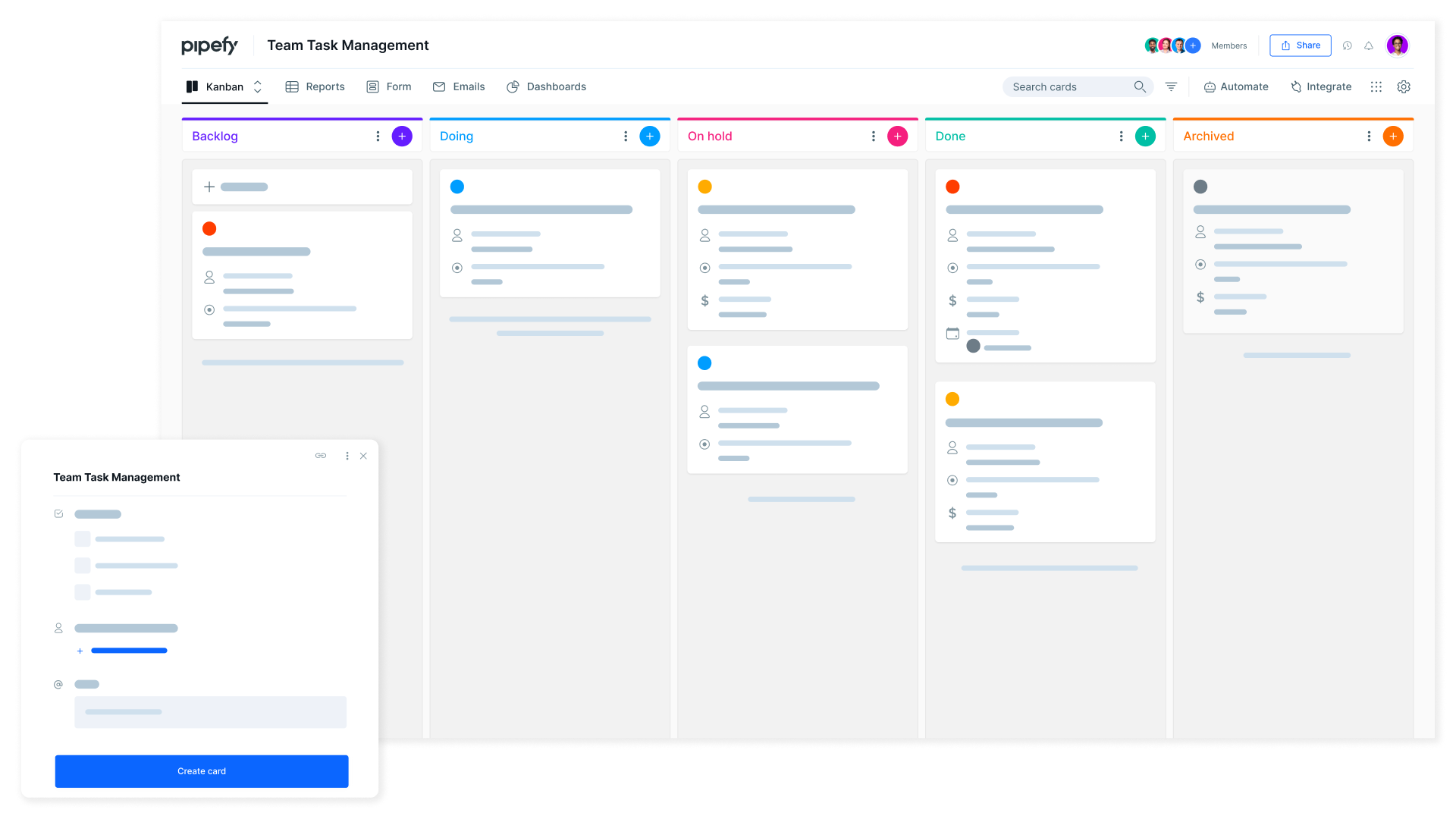
Build a cross-functional team that gets work done
Don’t let tasks stale on unread emails or legacy systems that don’t give you control of what you really need to control—inputs, people, SLAs, priorities, metrics, communication with stakeholders, and improvement opportunities.
With Pipefy’s free Task Management template, your team can work collaboratively and with full transparency. Control all incoming tasks in one place, assign team members to handle the ones, and accompany their progress into a Kanban interface.
Manage your tasks in a no-code interface
Control all tasks in only one interface
Manage your tasks in only one interface, without having to toggle across emails, messaging apps, and other tools to get work done.
Ensure seamless team communication
Keep tasks on a schedule by controlling tangible SLAs and priorities. Make clear what your team must work on, keeping them focused and happy.
No-code
You don’t need to know how to code to customize, share and run an efficient task management workflow. Use this template as a base for yours.
Start with a ready-to-use workflow or customize everything
Whether your team works remotely or in person, everyone’s tasks should flow as your company demands. This Team Tasks Management template is ready-to-use, which means you can get started only by trying it — or, you can customize its structure to meet your needs.


It comes with suggestions of forms that you can modify with different field types, logos, visuals, and others. Then, simply copy a public to the form and share with anyone that would like to create tasks and submit them to your team.
Deliver impeccable tasks in your terms
Each task of the Task Management template is different. It means that every step of the workflow requires different actions before a task is considered done.
This agile methodology helps you visualize your work and-to-end, and control everything that comes and goes, from people involved in the tasks, SLAs, priorities, stakeholders, email communication, and more.
Of course, you can automate almost everything in your task management workflow, from the email exchange, notifications, and approvals to assignments.
And, you need to know anything about programming: Pipefy works for everyone and helps people to jumpstart almost any process in a no-code interface.


Don't wait for the future to find opportunities
You won’t need to wait for the future to tell you how to improve your work. Unless you want to.
Pipefy’s native BI tool called Dashboards enables you to identify opportunities and grow your task force at the same time your team is working on demands.
Customize charts with metrics that are relevant to you and consult them at any moment you need. Spot bottlenecks or possible risks, find insights to build better decisions and deliver Reports that you can download and submit through Pipefy’s email inbox.

Adapt this template for your needs and hit the ground running
Fast and simple to deploy
Get started with your process in minutes with this easy-to-use template.
No/low-code
Customize your unique needs without help from the IT department.
Wide app integrations
Connect your ERP, HRIS, CRM, and other existing tools with Pipefy to build a truly integrated operation.
Connect Pipefy to your favorite software with ease


















Teams across the globe love Pipefy





Since we implemented Pipefy, we have been able to control and automate many processes, from operational and simple processes, such as task management, to business processes, such as executive search professionals (a type of service we provide). Our efficiency increased between 30 and 40% after Pipefy’s implementation.
Uelinton Santos COORelated templates

Remote Work Management
Maintain complete visibility over your team and efficiently manage each person's tasks.

Collaborative Idea Management
Encourage an innovative and creative culture by enabling your team to share their ideas easily.

Request Management
Standardize your requests and never miss critical information again.
